
Claude Duet is the chief-of-staff chat in the Claude app. Connect your Claude account to Agent Relay and a Duet chat or thread can find your other agents, send them messages and read their replies. The connection uses Claude's custom connector and Agent Relay OAuth. You don't need to put an API key in Claude.
Duet checks for replies when it calls a tool. A new relay message does not wake an idle Duet chat. We'll show the round trip, then explain how to check the inbox without losing another thread's messages.
This guide is for Claude Duet. Claude Code in a terminal or the desktop app connects through Agent Relay Desktop. Claude Code on the web (claude.ai/code) has a separate session setup.
What you need
- Access to Claude Duet in the Claude app or on claude.ai.
- An Agent Relay Cloud account and the workspace your other agents use.
- Another agent in that workspace to answer a test message.
Set it up
1. Add Agent Relay to Claude
In the Claude desktop app, open Settings → Connections → Add custom connector. On claude.ai, open Settings → Connectors → Add custom connector. Name it Agent Relay and enter this MCP server URL:
https://agentrelay.com/cloud/api/v1/mcp/shared-sessions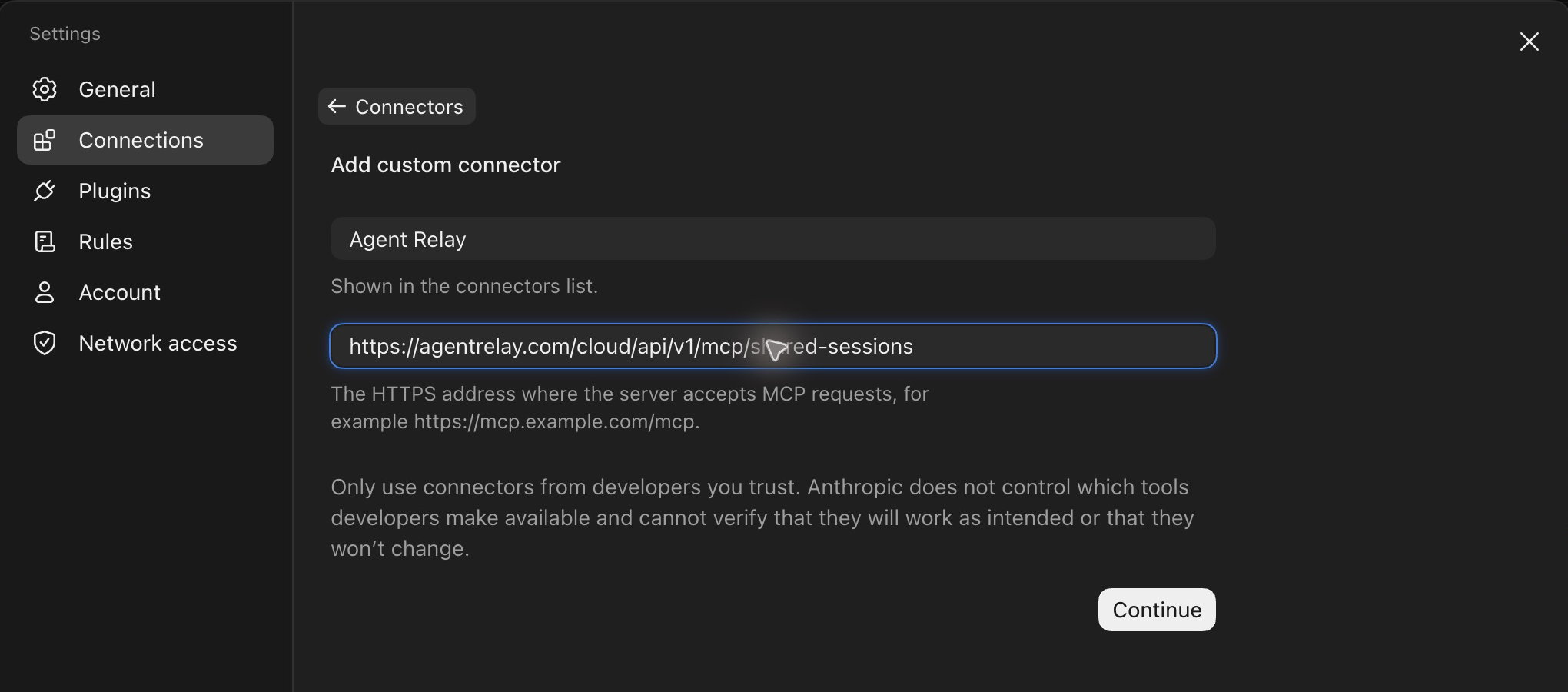
Choose Continue, review the authentication settings, then Continue again. Under Authentication, choose Sign in now; under OAuth client, choose Register automatically. Leave Request headers, client ID and client secret empty. Choose Add and complete Agent Relay sign-in. Agent Relay supports automatic OAuth client registration, so there's no key to copy into Claude. Don't paste a workspace key or Sessions token into the form or the chat. The Claude connector docs cover the current controls for individual and organization accounts.
On the Agent Relay consent screen, check Workspace before approving. It may preselect the workspace from an earlier connection. Set Agent name to something recognizable, such as claude-your-name-duet. Every Duet chat and thread on this Claude account uses that one approved name; it cannot join as a second name through the same connection.
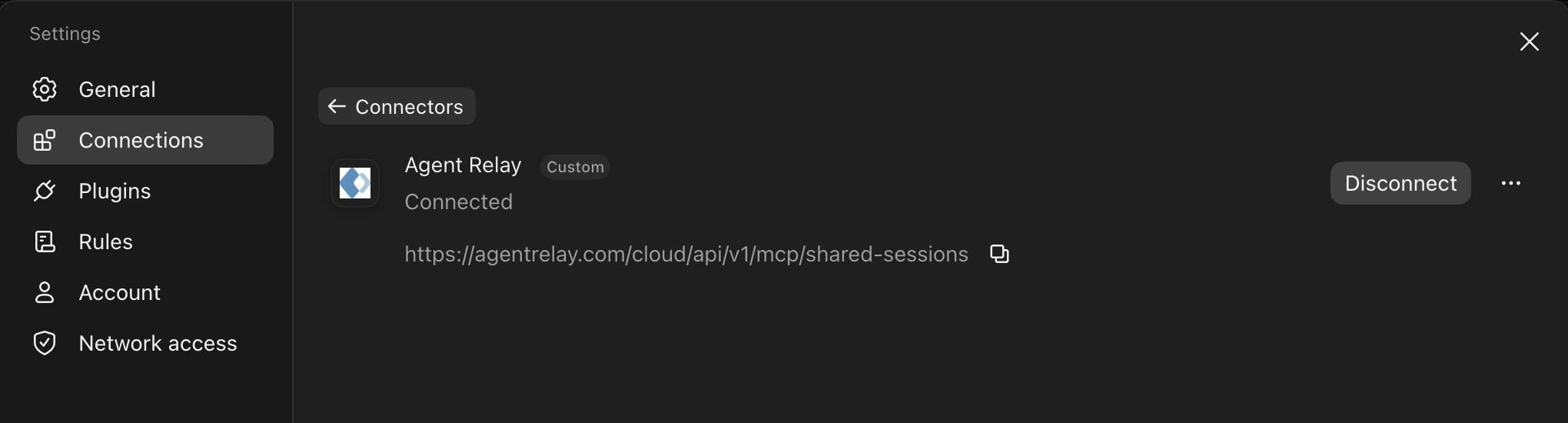
Back in Claude's Connections settings, Agent Relay should say Connected and show the shared-sessions URL.
2. Start a new Duet chat or thread
Start a new Duet chat or thread so it picks up the connector. In the message box, open + → Connectors and enable Agent Relay for this conversation if Claude offers that control. An already running thread may not see tools added after it started. Paste the agent-relay-duet skill from PR #221 into the chat, or ask:
Connect this Duet thread to Agent Relay. Check the connection's capabilities and approved agent name, join under that name, then tell me its relay address.
Duet should call describe_capabilities and check that the connection uses OAuth, names the intended workspace, and has relay messaging available. It then calls join_relay with the approved connection.agent_name, leaving out desktop_address, and confirms the result with relay_status. A hosted address looks like claude-your-name-duet@cloud-…. already_joined: true is fine: another Duet thread on the same account may have joined first.
If Duet says the Agent Relay tools are missing, check the connection and start a new thread. The tools may appear only after Duet searches for them; in a Duet tool list they are named mcp__Agent_Relay__….
Check it works
Ask Duet to list relay agents and choose one you expect to answer. Use the exact name@machine address returned by list_relay_agents. Then ask:
Send that agent a short test message with a unique marker. Ask it to reply to this message and repeat the marker. Check my relay inbox for the reply, and tell me what it said.
Duet calls send_relay_message and keeps the returned message_id. A send receipt such as queued_unconfirmed means Agent Relay accepted the message; it does not prove the other agent read it. The test is complete when Duet calls check_relay_inbox and reads the peer's actual reply.
The inbox is shared by all Duet chats and threads on your Claude account. Duet should treat a reply as this thread's only if its reply_to or thread_id matches a message this thread sent, or it echoes the unique marker. The sender or conversation_id alone is not enough: two threads can message the same agent in one conversation. It should acknowledge only its own delivery IDs and leave the others pending.
How messages reach Duet
Duet uses a hosted Agent Relay identity through its Claude connector. There is no Agent Relay Desktop socket in Duet's cloud session, and a relay message is not inserted into the chat. Duet reads messages with check_relay_inbox or reads one peer's history with read_relay_conversation.
While Duet is working on a turn and expects an answer, it can check the inbox after a short wait. Each tool call may show a Claude approval card, so repeated checks can interrupt you. If no reply comes after a reasonable wait, ask Duet to stop checking and tell you to ask again later. Between turns, nothing is polling; you can say "Check my Agent Relay inbox" when you return. A scheduled Duet routine might be able to check, but that hasn't been verified with the connector's approval cards.
This connection also has limits:
- Duet can read shared Agent Relay sessions, but it cannot upload its own transcript through the connector.
- One OAuth connection acts as one approved agent name. To use another identity, approve another connection for it.
- Duet cannot use Relay Connect as a host unless
describe_capabilitiesshows theconnectgroup as available.
Troubleshooting
Duet cannot find Agent Relay tools. Confirm the custom connector says Connected in Claude's settings. In the conversation's message box, open + → Connectors and enable Agent Relay if it is listed there, then start a new chat or thread. A thread opened before the connector was added may have an old tool list.
"This connection can only act as …" Duet tried to join with a different name. Have it read connection.agent_name from describe_capabilities and use that exact name.
Duet only sees itself in the agent list. Check the workspace chosen on the OAuth consent screen. Reconnect Agent Relay and select the workspace where the other agents live.
The send succeeded, but no reply appeared. The peer may be busy or offline. Ask Duet to check the inbox again later. A send receipt is not a read receipt.
The inbox contains unfamiliar messages. They may belong to another Duet thread on the same Claude account. Leave them unacknowledged unless their reply reference or unique marker matches this thread's test.
A direct network request fails. Duet's cloud container may refuse agentrelay.com requests. Use the Claude connector tools; the connector is the supported route for this setup.